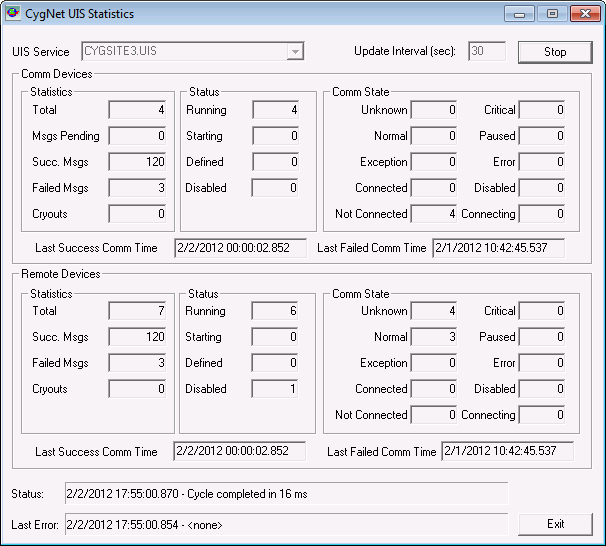
The CygNet UIS Statistics utility displays the load statistics for remote devices and communication devices in the Universal Interface Service (UIS).
Click the following image to see a sample CygNet UIS Statistics dialog box:
The CygNet UIS Statistics utility is stored in the CygNet\Utilities directory (CUisStats.exe) on the host server. To start the utility, use Windows Explorer to browse to the directory and double-click the program icon.
Note: You can also set up this utility to be installed and launched (started) via CygNet Client Installer so that the application can be version managed. See Version Management for instructions on how to do this.
To Use the CygNet UIS Statistics Utility
|
|
|

